

IslandHub
Search for ""
IslandHub
Sign in
Sell now
Browse Stores
Flash Deals
Your marketplace guide

How IslandHub works

From the first listing to the final handoff, see what buyers, sellers, IslandHub, and delivery partners do at every stage.

Browse productsStart selling
IslandHub parrot welcoming buyers and sellers
  • Buying
  • Selling
  • Delivery
  • Responsibilities

For buyers

Shop with a clear next step

Every order starts pending, giving the seller a chance to confirm that the item is available before an online card is charged.

Explore categories
  1. 01

    Find the right item

    Browse listings and stores, then review the description, condition, seller information, price, and available fulfillment choices.

  2. 02

    Choose checkout details

    Select a fulfillment option for each seller. Add an accurate delivery address and map pin when delivery is required, then choose from the payment methods offered.

  3. 03

    Place a pending order

    Checkout creates a separate pending order for each seller. Choosing a saved card does not charge it yet. Cash meetups skip card charges entirely and are not guaranteed by IslandHub.

  4. 04

    Wait for seller acceptance

    The seller has up to 24 hours to act. When a seller accepts, IslandHub attempts the KYD card charge for that seller's order. Other orders from the same checkout remain independent.

  5. 05

    Track, receive, and confirm

    Follow preparation and delivery updates. For pickup or Seller Delivery, give the confirmation code only after receiving the order. IslandHub Delivery completes from the courier status.

  6. 06

    Raise an issue promptly

    Keep order details, messages, photos, and other evidence. Contact support as soon as possible if an item is missing, incorrect, damaged, or not received.

Exactly when is the card charged?

Before acceptance
The order is pending and the selected card is not charged. The buyer may cancel at this stage without a card charge.
At acceptance
IslandHub attempts to charge the full total for that seller's order. If the gateway declines the charge, the order moves to Payment Declined and the buyer is notified to retry.
If the seller does not accept
If a seller does not accept within 24 hours, the order is cancelled, inventory is restored, and both parties are notified. Cancellation may show up shortly after the deadline. No card charge is made.

For sellers

Turn a listing into a completed sale

Choose only the payment and fulfillment methods you can support, then keep the buyer informed from acceptance through handoff.

Create a listing
  1. 01

    Prepare your seller account

    Keep your profile and contact details current. Add a payout account for online sales and a mapped pickup address before offering delivery.

  2. 02

    Publish an accurate listing

    Use clear photos and truthful product, price, condition, and stock details. Choose payment and fulfillment methods you can reliably support.

  3. 03

    Review each new order

    Accept only when the item is available and you can fulfill it. Acceptance starts the buyer's card charge. Decline unavailable orders promptly; otherwise they expire after the 24-hour confirmation window.

  4. 04

    Prepare and start fulfillment

    Pack the order safely, then mark it ready for pickup or out for delivery. For IslandHub Delivery, this action books the integrated courier.

  5. 05

    Confirm a successful handoff

    Enter the buyer confirmation code for pickup or Seller Delivery. Integrated courier delivery completes when the delivery provider reports it delivered.

  6. 06

    Release funds and receive payout

    Completion releases the seller's net funds, making them eligible for payout. Release is not an instant bank transfer; payout follows separately to the saved bank account.

From card charge to seller payout

Charge and split
A successful acceptance charge creates the payment records and separates the IslandHub fee, any courier amount, and the seller's net share.
IslandHub fee
The effective percentage is recorded on the order and shown in the seller totals. It helps cover payment-gateway processing and IslandHub operational costs. For Seller Delivery, the fee also applies to the seller delivery fee; IslandHub Delivery fees go to the courier.
Held until completion
The seller's net share stays held while the order is fulfilled. Held funds are not yet eligible for bank payout.
Released, then paid out
When the order is completed, the held amount is released and becomes eligible for the next payout batch. Payout is processed separately to a valid saved bank account, so release and bank arrival do not happen at the same moment. Refunds or seller adjustments can change the final amount.

Fulfillment choices

Who handles delivery?

The listing determines which choices appear at checkout. Each method changes who schedules transport and how the handoff is confirmed.

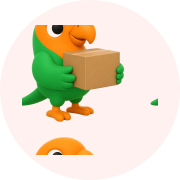
Two people meeting to hand over an IslandHub order

Pickup

Buyer and seller agree on a safe time and place to meet.

Buyer
Arrange the meeting in IslandHub messages and bring the confirmation code.
Seller
Confirm the item is ready, agree on the handoff, and verify the code after delivery.
Completion
The seller enters the buyer code to complete the order.
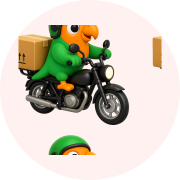
A seller delivering an IslandHub package to a buyer

Seller Delivery

The seller arranges and transports the order directly.

Buyer
Provide an accurate address, instructions, and a time when someone can receive it.
Seller
Set realistic delivery terms, package the order, and deliver it safely to the buyer.
Completion
The seller verifies the buyer code at the handoff.
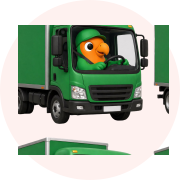
An IslandHub delivery courier transporting a package

IslandHub Delivery

IslandHub connects an eligible online-paid order with an integrated courier.

Buyer
Use a mapped delivery address, review the quoted fee, and follow the tracking link.
Seller
Choose the correct package size, keep a mapped pickup address, and have the package ready.
Completion
Courier status updates the order when delivery is completed.

IslandHub Delivery requires online payment and depends on package, route, address, and courier availability. It is fulfilled by a third-party provider, including integrated courier partners where available. IslandHub provides reasonable support but does not guarantee courier timing or performance.

Shared responsibility

A safer transaction takes every party

IslandHub provides the marketplace technology and support. The seller remains responsible for the item and fulfillment, while buyers must provide accurate information and confirm honestly.

Buyer

Make the order and handoff safe, accurate, and verifiable.

  • Review the listing, seller, price, and fulfillment terms before ordering.
  • Use supported checkout and keep payment and communication on IslandHub.
  • Treat cash meetups as unprotected: IslandHub does not collect, refund, or guarantee those payments.
  • Provide accurate contact, address, map pin, and delivery instructions.
  • Confirm receipt only after receiving the order and report issues promptly.

Seller

Own the listing, product quality, and reliable fulfillment.

  • List only lawful items with accurate photos, condition, price, and stock.
  • Follow Cayman Islands laws, licensing, safety, and product requirements.
  • Accept only fulfillable orders, package them safely, and protect buyer data.
  • Address valid support, return, refund, and delivery concerns in good faith.

IslandHub

Provide the marketplace systems that help both parties transact.

  • Facilitate listings, checkout, online payment, order status, and messaging.
  • Connect eligible orders to an integrated courier and expose tracking.
  • Review reports and provide reasonable support for disputes and refunds.
  • Enforce platform policies without taking ownership of seller inventory.

Delivery provider

Perform the physical courier service when IslandHub Delivery is used.

  • Confirm availability and pricing for the requested route and package.
  • Collect, transport, track, and deliver the package using its service process.
  • Report delivery progress or failure back to IslandHub where supported.
  • Handle transport responsibly; product accuracy and quality remain with the seller.

This guide is the practical overview

The complete rules and eligibility decisions remain in our policies. Review the Terms of Service, Marketplace Safety and Seller Standards, Prohibited Items Policy, and Refunds & Returns Policy before transacting.

Need help with an order?

Contact IslandHub with the order number and any useful messages, photos, or delivery information.

Contact support
Home
Cart
Sell now
Messages
IslandHub

Buy and sell locally in the Cayman Islands — from phones and furniture to cars and services.

Connect with us:

Explore

  • About Us
  • How It Works
  • Flash Deals
  • New Arrivals
  • Browse Stores

Help & Support

  • Contact & Support
support@islandhub.ky

PO Box 694

George Town, Grand Cayman KY1-9006

Cayman Islands

Accepted payment methods

Get Exclusive Deals

Subscribe to our newsletter for early access to sales and new products.

Connect with us:

© 2026 IslandHub Technologies Ltd. All rights reserved.

  • Terms of Service
  • Privacy Policy
  • Refunds & Returns
  • Cookie Policy
  • Community Guidelines
  • Prohibited Items
  • Marketplace Safety
  • Account Deletion
Search for ""
Search for ""